KidCheck Apps Save Time and Create Efficiency
The KidCheck Apps are designed to streamline check-in, increase convenience for families, improve child safety, and help you accomplish more with less effort.
The KidCheck Admin App
With the Admin App, you’ll reduce your workload, increase classroom efficiency, strengthen child safety, and communicate quickly with guardians. The Admin App offers a convenient mobile way to manage check-ins and access key administrative features, including:
- Dashboard – Allows you to see all children and workers who are checked in for each grade, providing a quick glance at check-in counts. There is also a checkbox indicating capacity.
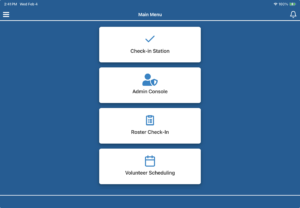
- Check-In Station – The mobile check-in station enables quick, easy processing of mobile check-ins.
- Admin Console – Provides quick access to a live roster of checked-in children and several helpful tools. Watch this short Admin Console video to see it in action.
- View medical and allergy information
- Send an emergency text to the guardian
- Reprint name badge
- Update a child’s location
- Add a note to a child’s profile
- Use alerts
- View survey responses
- Process check-out
- Roster Check-In – Enables you to check your template or program.
- Volunteer Scheduling – Provides a list of upcoming or completed events, sets up new events, and schedules volunteers.
- License Management – Delivers a list of all licenses and allows you to manage them directly from the screen.
See it in action with this Admin App overview or get more in-depth instructions about how to use the features with this Admin App tutorial.
The KidCheck App
The KidCheck App is for families and was created to increase convenience, give them control over their personal information, enable them to request to volunteer, and choose how and when to receive notifications. We suggest that you encourage your attending families to download and use the KidCheck App.
In the KidCheck App, families can:
- Set up, maintain, and update their account, including medical and allergy information.
- Utilize Express Mobile Check-in, where families check in on their smartphones.
- Use the digital guardian receipt.
- Add an authorized guardian.
- Modify notification preferences.
- Complete new family onboarding.
- Request to volunteer and receive notifications*.
- Receive broadcast text messages and other emergency information.
*Please note that if no worker role is attached to an account, families will not see any scheduling requests or notifications.
Click here to learn more about the benefits of secure children’s and youth check-in, mobile Express Check-In, volunteer scheduling, and our live support, available six days a week, including Sunday morning.
For more safety tips and information, subscribe to the KidCheck blog or connect with us on X, Facebook, Pinterest, Instagram, and YouTube.